How To Fix Pname Com Facebook Orca Error
Pname Com Facebook Orca error on android is a common problem today.Many android user have already faced this problemhasand they told that suddenly a faced this appear on their screen “com facebook orca has stopped unexpectedly “.This problem is increasing day by day such that
“How To Fix Pname Com Facebook Orca Error on Android?” this question is searched on Google million times.
If you are facing this problem don’t worry…you are on the right place….In this post I will inform you about facebook orca and facebook katana and how to solve Com Facebook Orca Error.
Table of Contents
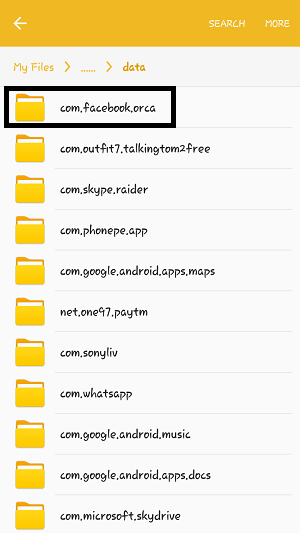
Actually Com Facebook Orca is a package name for your facebook messenger app on your android device.When you install messenger app from play store then a folder named “com.facebbok. ” automatically created on your storage.
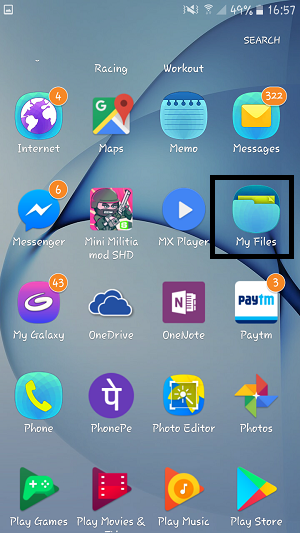
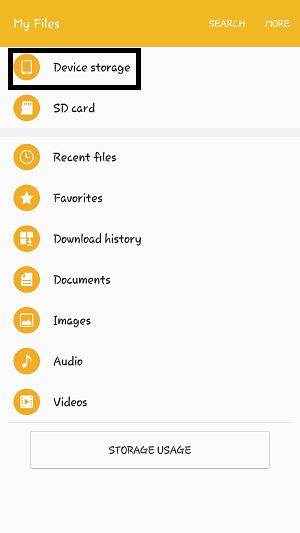
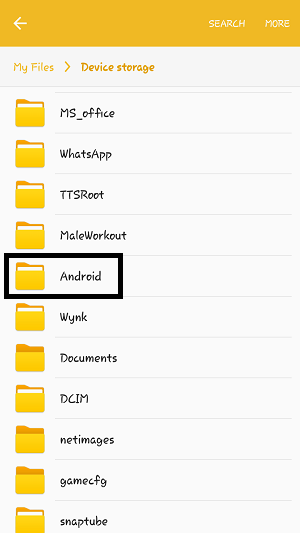
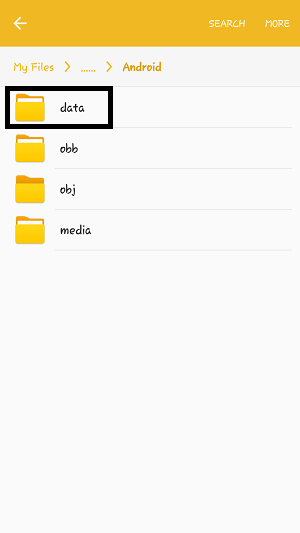
You can find it from file explorer .File Explorer>DeviceStorage/SD Card> Android>Data then you will find this folder” com.facebbok.orca”.
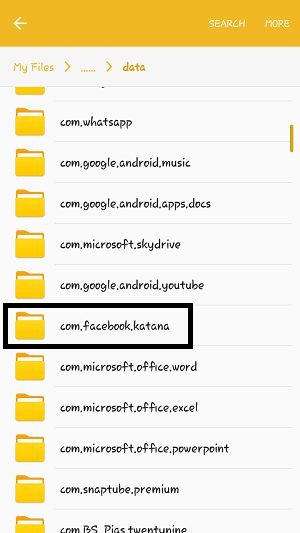
When someone install Facebook app from play store then “com.facebook.katana” folder is automatically created on their device storage/SD card.,You may find it by following the above process.
File Explorer>DeviceStorage/SD Card> Android>Data then you will find this folder” com.facebbok.katana”.
When someone noticed this message “com facebook orca has stopped” they thought that it may be virus or malware.
Absolutely not…
They are just two folder, created on your storage by the default android system when you install , app & Messenger app from Google Play Store.
It may vary for different devices..But the main idea is here:
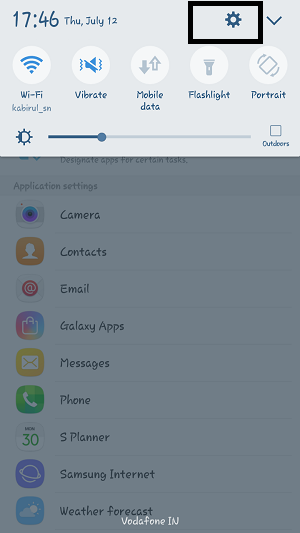
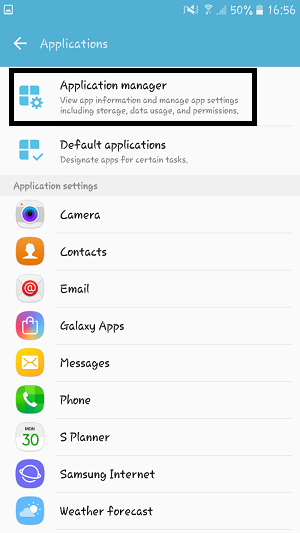
Step 1: Open the setting option of your phone
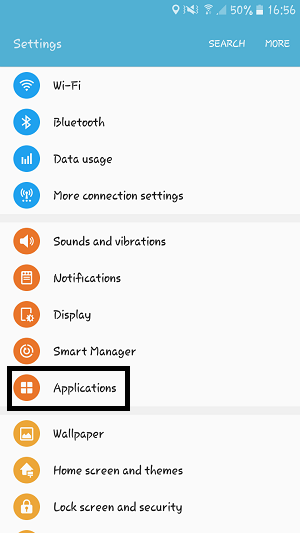
Step 2: Then go to application
Step 3: Click on application manager
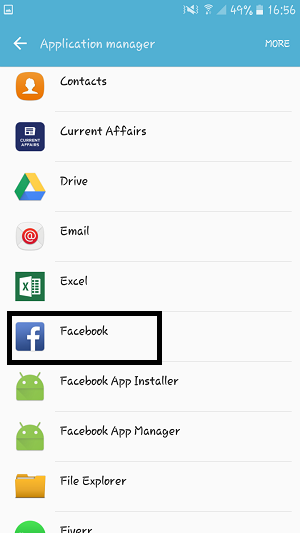
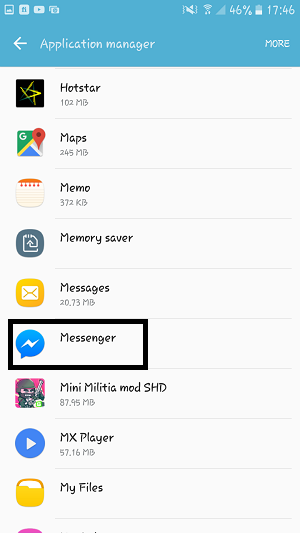
Step 4: Find the Facebook app & Messenger app
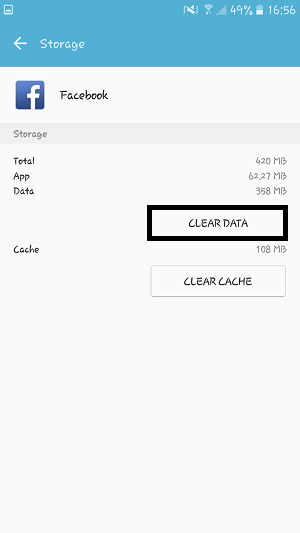
Step 5: Clear the the data and restart the apps
After restarting the apps the problem will solved.
If the problem still occurs don’t worry…
Here is another solution.
After completed the above method if you still noticed the pop up message “com.facebook.orca has stopped unexpectedly” then uninstall the Facebook and Messenger app and restart your device.Again reinstall those apps from Google play store .usersHope the problem will solved.
You may delete this folder but this is not the solution because it will regenerate automatically on your storage and you will notice the error message again.This folder is must needed when you running messenger app on your device.
If you delete some conversation,image,file from Facebook by mistake then, don’t worry com.facebook.orca folder will help you to retrieve all the information. Access the folder mentioned as above and you will find a folder named “cache” inside it.Browse the cache folder inside it you will find a folder named “fb_temppop-upYou will find your deleted files or conversation from this folder.
The world of classic car restoration is one where passion, nostalgia, and craftsmanship intersect. For… Read More
Compared to a few years ago, search behavior in 2026 is drastically different. Users are… Read More
Today, businesses of every size operate within complex tech environments, indeed, all businesses are tech-dependent.… Read More
Website speed has evolved from a technical improvement into a decisive SEO advantage. In 2026,… Read More
Pay-Per-Click (PPC) advertising is one of the most effective ways to attract targeted visitors online.… Read More
Off-page SEO continues to play a critical role in search visibility, even in 2026. However,… Read More