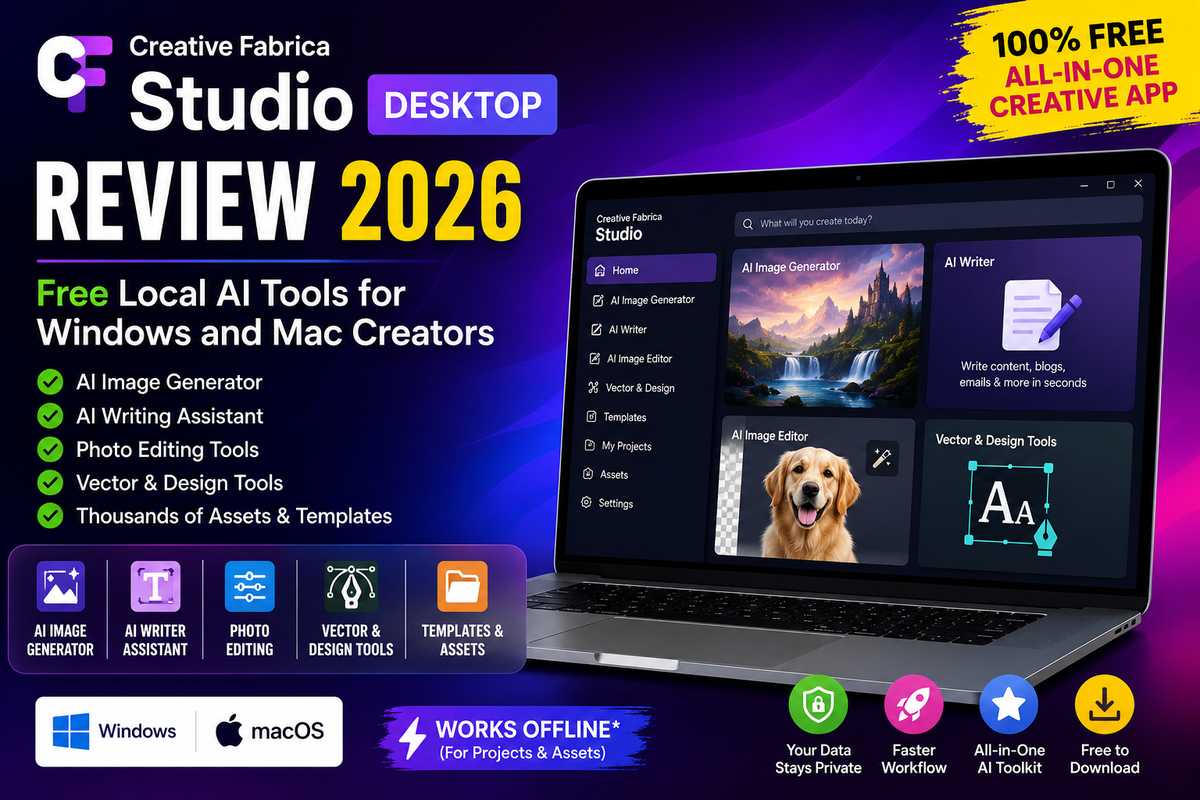
Creative Fabrica Studio Desktop Review: Free Local AI Tools for Windows and Mac Creators
Artificial Intelligence has transformed the way designers, bloggers, marketers, and digital creators work. From generating stunning artwork to writing content and editing images, AI tools save countless hours. However, many popular AI platforms require monthly subscriptions or constant internet connectivity.
Creative Fabrica Studio Desktop aims to solve these challenges by offering a free desktop application packed with AI-powered creative tools for both Windows and macOS users.
In this review, we’ll explore its features, performance, pricing, pros and cons, and whether it’s worth downloading in 2026.
What is Creative Fabrica Studio Desktop?
Table of Contents
Creative Fabrica Studio Desktop is an AI-powered desktop application designed to help creators generate images, edit photos, write content, and design graphics from one interface.
Unlike many browser-based AI platforms, the desktop application provides a smoother experience with access to Creative Fabrica’s growing collection of AI-powered tools and creative resources.
It is built for:
- Graphic Designers
- Bloggers
- Content Creators
- YouTubers
- Social Media Managers
- Small Businesses
- Students
- Hobbyists
Key Features
1. AI Image Generator
Create unique AI artwork by simply typing a prompt.
Perfect for:
- Blog featured images
- Social media graphics
- Posters
- Digital art
- Marketing creatives
- Print-on-demand designs
2. AI Writer
Generate:
- Blog posts
- Product descriptions
- Social captions
- Emails
- SEO content
- Marketing copy
The built-in AI writing assistant speeds up content creation significantly.
3. AI Image Editor
Edit images using AI tools like:
- Background removal
- Image enhancement
- Upscaling
- Object removal
- Color adjustments
This eliminates the need for expensive photo editing software for many everyday tasks.
4. Vector & Design Tools
Users can create:
- Logos
- Icons
- Stickers
- SVG graphics
- Printable designs
These features are especially useful for Cricut, laser cutting, and print-on-demand creators.
5. Easy-to-Use Interface
The application features a clean dashboard with intuitive navigation, making it beginner-friendly while still offering powerful tools for professionals.
6. Creative Asset Library
Users can access thousands of:
- Fonts
- Graphics
- Illustrations
- Templates
- Craft designs
Everything is integrated into one workspace.
System Requirements
Windows
- Windows 10 or later
- 8 GB RAM (Recommended)
- Internet connection for downloads and AI services
- Modern processor
macOS
- macOS 12 Monterey or later
- Apple Silicon or Intel processor
- 8 GB RAM recommended
Performance
During testing, Creative Fabrica Studio Desktop performed smoothly.
Image generation was fast, the interface remained responsive, and switching between different AI tools felt seamless.
The desktop experience is noticeably smoother than using multiple browser tabs.
User Interface
The software features:
- Minimal design
- Dark mode support
- Organized workspace
- Quick tool access
- Simple navigation
Even first-time users can begin creating within minutes.
Pros
✅ Free to download
✅ Beginner-friendly
✅ Multiple AI tools in one application
✅ Fast image generation
✅ Excellent for content creators
✅ Modern user interface
✅ Great design resources
✅ Windows & Mac support
Cons
❌ Some advanced features may require an active Creative Fabrica account.
❌ Large AI image generation tasks may take longer on older computers.
❌ Requires internet connectivity for cloud-based AI generation and syncing, so it is not fully local or fully offline.
Who Should Use Creative Fabrica Studio Desktop?
This application is ideal for:
Bloggers
Generate featured images and write SEO-friendly articles quickly.
YouTubers
Create thumbnails, channel artwork, and social media graphics.
Etsy Sellers
Design printables, SVG files, and digital products.
Graphic Designers
Speed up repetitive creative tasks with AI assistance.
Small Businesses
Create promotional graphics without hiring a designer.
Students
Generate presentations, posters, and creative projects.
Pricing
Creative Fabrica Studio Desktop is free to download. Some premium assets and advanced AI capabilities may require a Creative Fabrica subscription, while many core tools are available at no cost.
Creative Fabrica Studio Desktop vs Browser AI Tools
| Feature | Studio Desktop | Browser AI Tools |
|---|---|---|
| Installation | Yes | No |
| Multiple AI Tools | Yes | Usually Separate |
| Better Performance | Yes | Depends on Browser |
| Asset Library | Yes | Limited |
| Beginner Friendly | Excellent | Good |
| Windows & Mac Support | Yes | Yes |
Is It Really a Local AI Tool?
While Creative Fabrica Studio Desktop runs as a desktop application, many of its AI features rely on Creative Fabrica’s cloud infrastructure. That means it offers the convenience of a desktop app but should not be considered a fully local AI solution that performs all AI processing offline.
If your goal is complete offline AI generation, you’ll need dedicated local AI software. If you want an easy desktop interface with integrated AI tools and assets, Creative Fabrica Studio Desktop is a strong option.
Final Verdict
Creative Fabrica Studio Desktop is an excellent all-in-one creative application for designers, bloggers, marketers, and digital creators. It combines AI writing, image generation, photo editing, and design tools into a single, user-friendly desktop experience.
Its biggest strengths are simplicity, speed, and integration with Creative Fabrica’s extensive library of creative assets. While it isn’t a fully offline local AI tool, it provides a convenient desktop workflow for users who want to create content faster.
Creative Fabrica Studio Desktop introduces a practical way to combine creative design with supported free desktop AI tools for creators.
Rating: ⭐⭐⭐⭐☆ (4.6/5)
If you’re looking for an affordable way to boost your creativity with AI, Creative Fabrica Studio Desktop is definitely worth trying.
Frequently Asked Questions (FAQs)
Is Creative Fabrica Studio Desktop free?
Yes. The application is free to download, although some premium features and assets require a subscription.
Does it work on Windows and Mac?
Yes. It supports both Windows and macOS.
Can beginners use it?
Absolutely. The interface is designed for users of all skill levels.
Can I create AI images?
Yes. The built-in AI image generator allows you to create images from text prompts.
Is Creative Fabrica Studio Desktop completely offline?
No. Although it’s a desktop application, many AI features require an internet connection because they use cloud-based processing.
Trending